

Set Up Your Affiliate Program on SATHI
Before your ambassadors can start driving sales, you need a Campaign. A Campaign is where you set up your commission structure, discount codes, and other preferences.. Every ambassador will be live inside a campaign. This article walks you through installing SATHI and setting up your first campaign.
Step 1 — Install SATHI from the Shopify App Store
If you're reading this article, chances are, you've done this already.
Open the Shopify App Store
Search for SATHI
Click Install
SATHI will connect to your Shopify store automatically.
Step 2 — Create your first Campaign
Once installed, SATHI takes you straight into campaign setup. Follow the steps below.
1. Name your Campaign
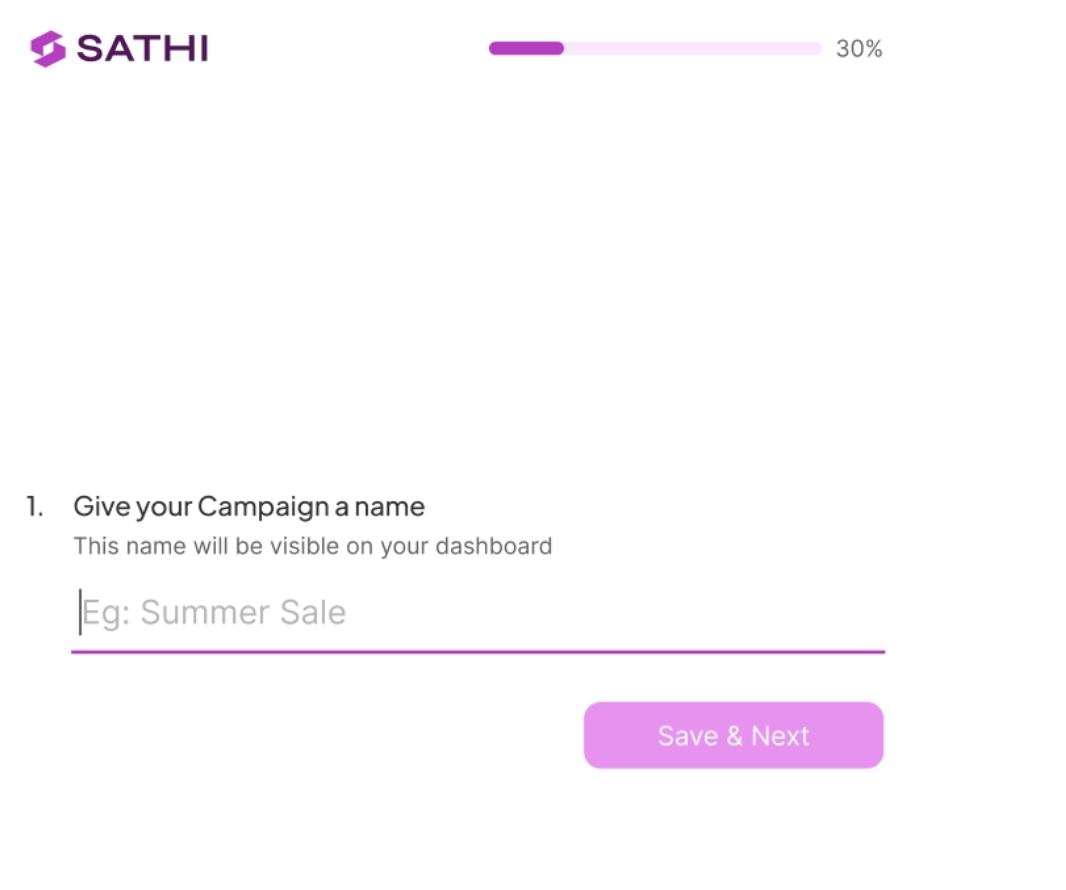
Give your campaign a name — this is internal, just for you.
Hit Save and Next to continue.
2. Set your Commission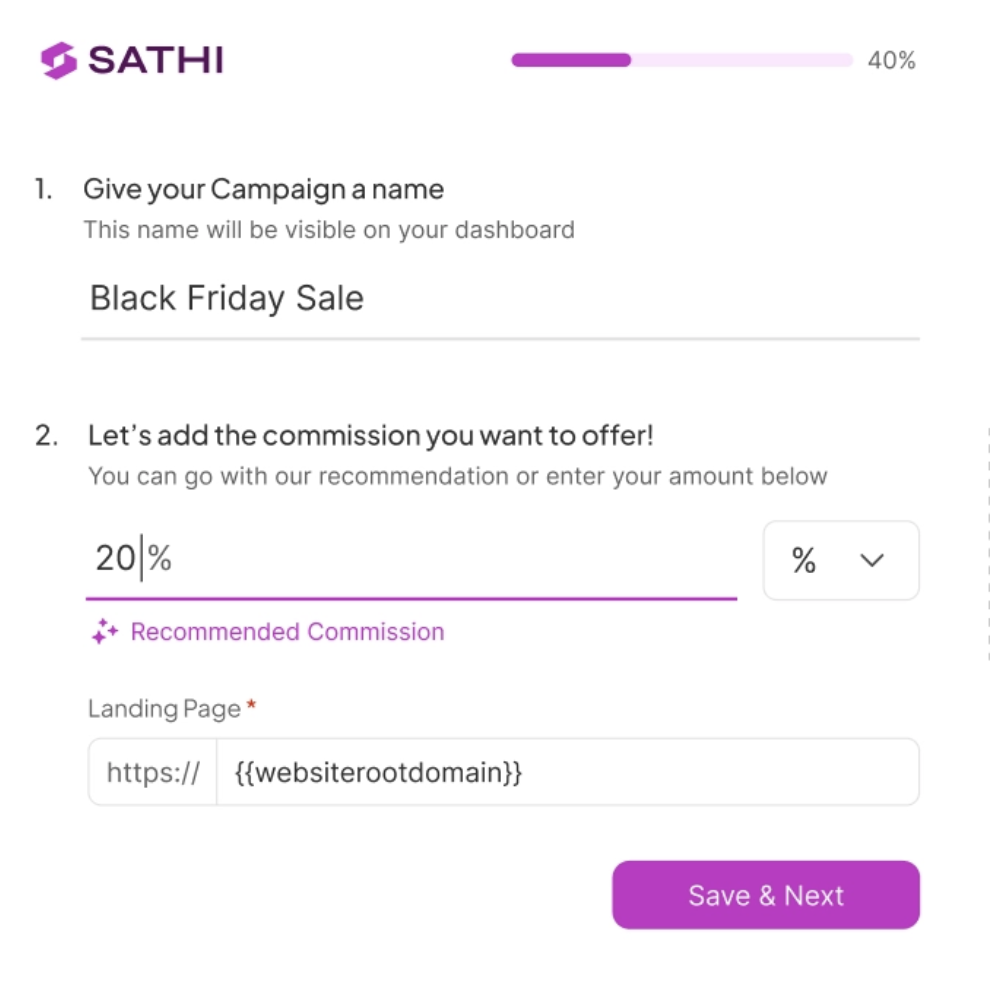
Enter the commission percentage you want to offer your ambassadors. Your store domain is already filled in — change it here if needed.
Hit Save and Next.
3. Advanced Campaign Options
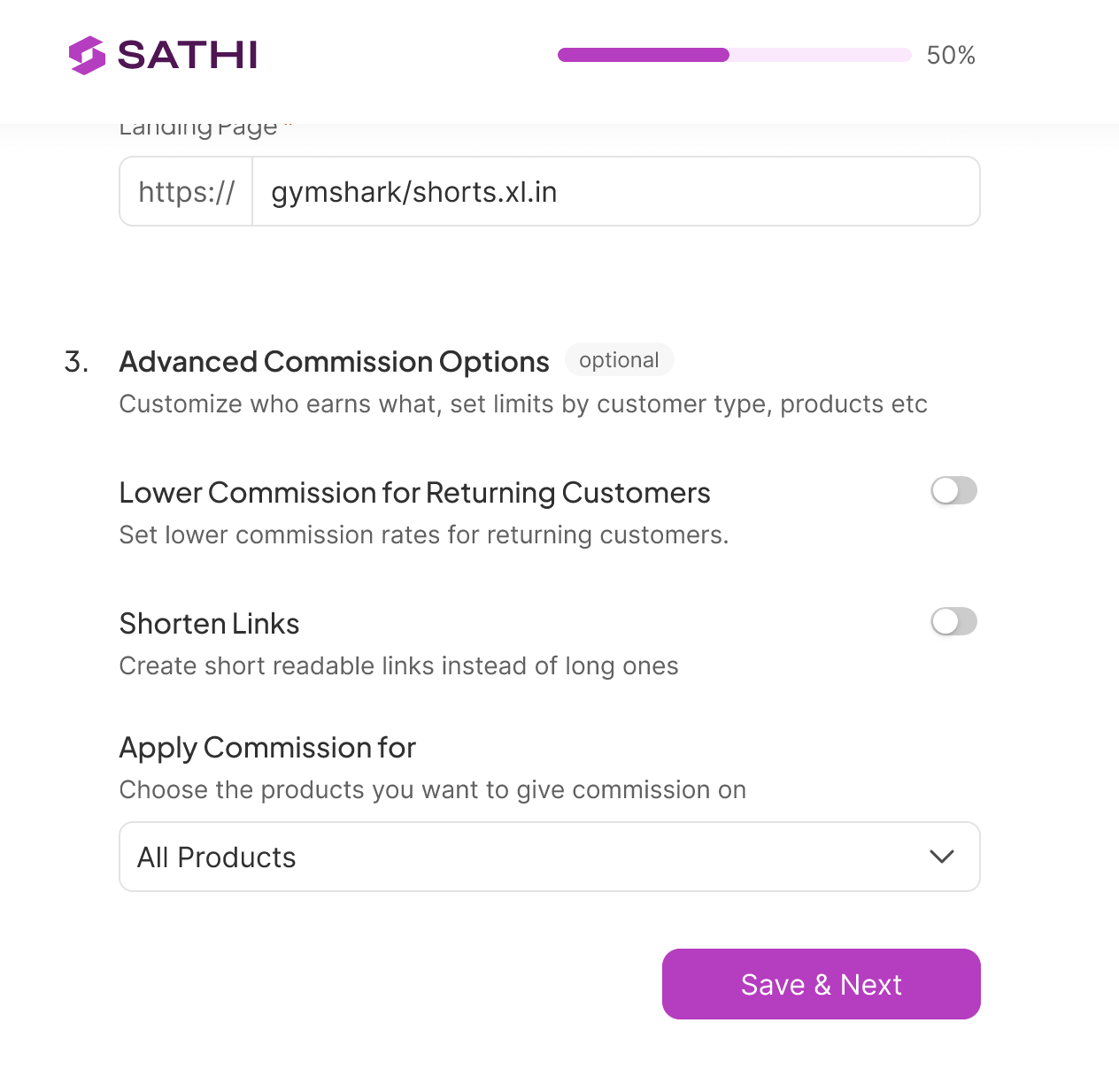 These are optional but worth reviewing. You can:
Lower commission for returning customers — set a reduced rate for orders from customers who have bought before
Shorten links — generate cleaner referral links for your ambassadors
Apply commission to — choose between all products, specific products, or a specific collection. Use the search bar to find products directly from your Shopify store.
Hit Save and Next.
4. Set your Discount Code Format
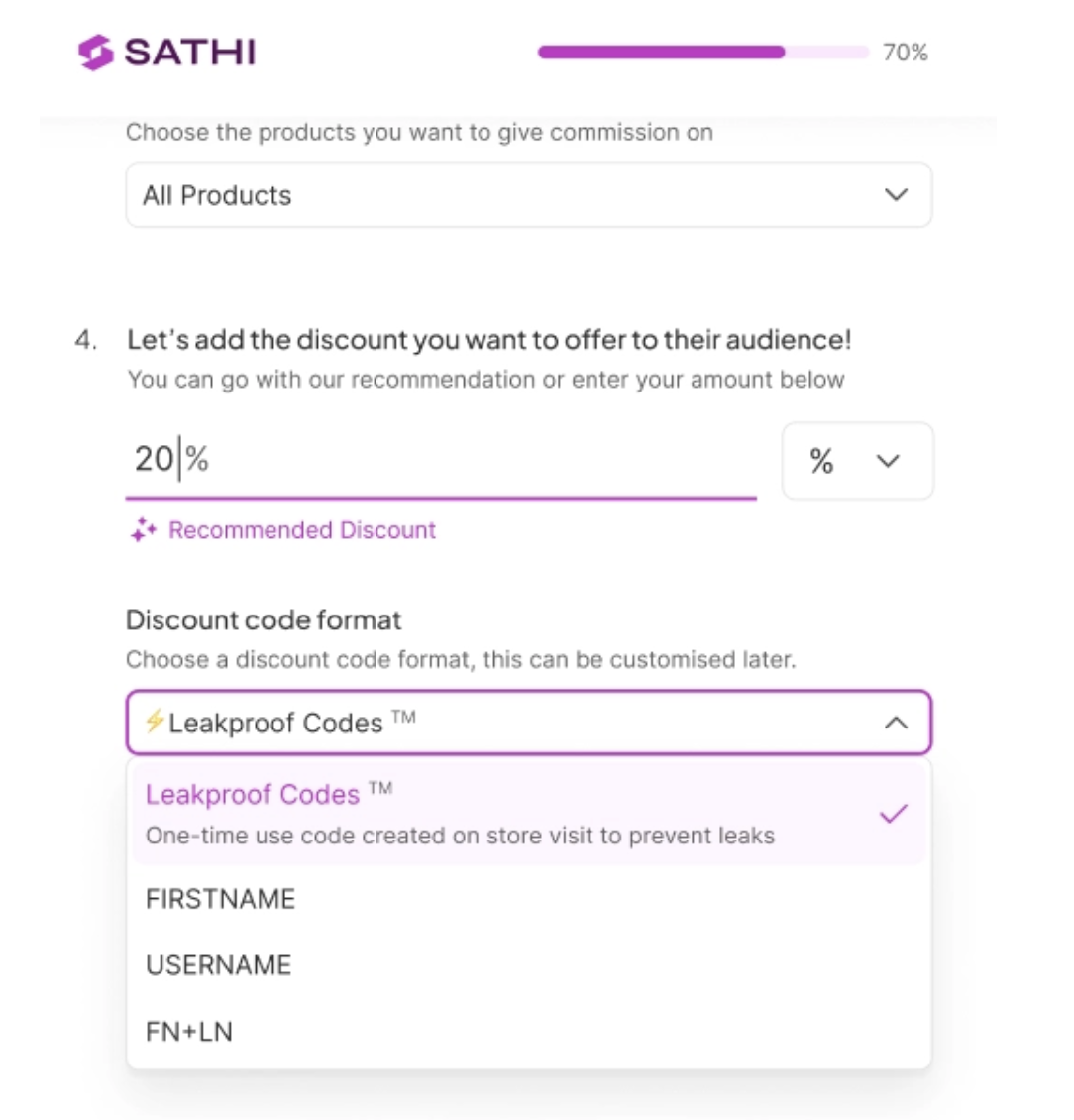
Choose how SATHI generates discount codes for your ambassadors:
First Name: e.g. SARAH10
Username: e.g. SARAHSMITH10
First Name + Last Name: e.g. SARAHSMITH10
LeakProof Codes: a unique code is generated every time an affiliate link is clicked and applied silently at checkout. The code is never visible to the customer, so it can't be shared, copied, or leaked to coupon sites
5. Advanced Discount Code Options (optional)
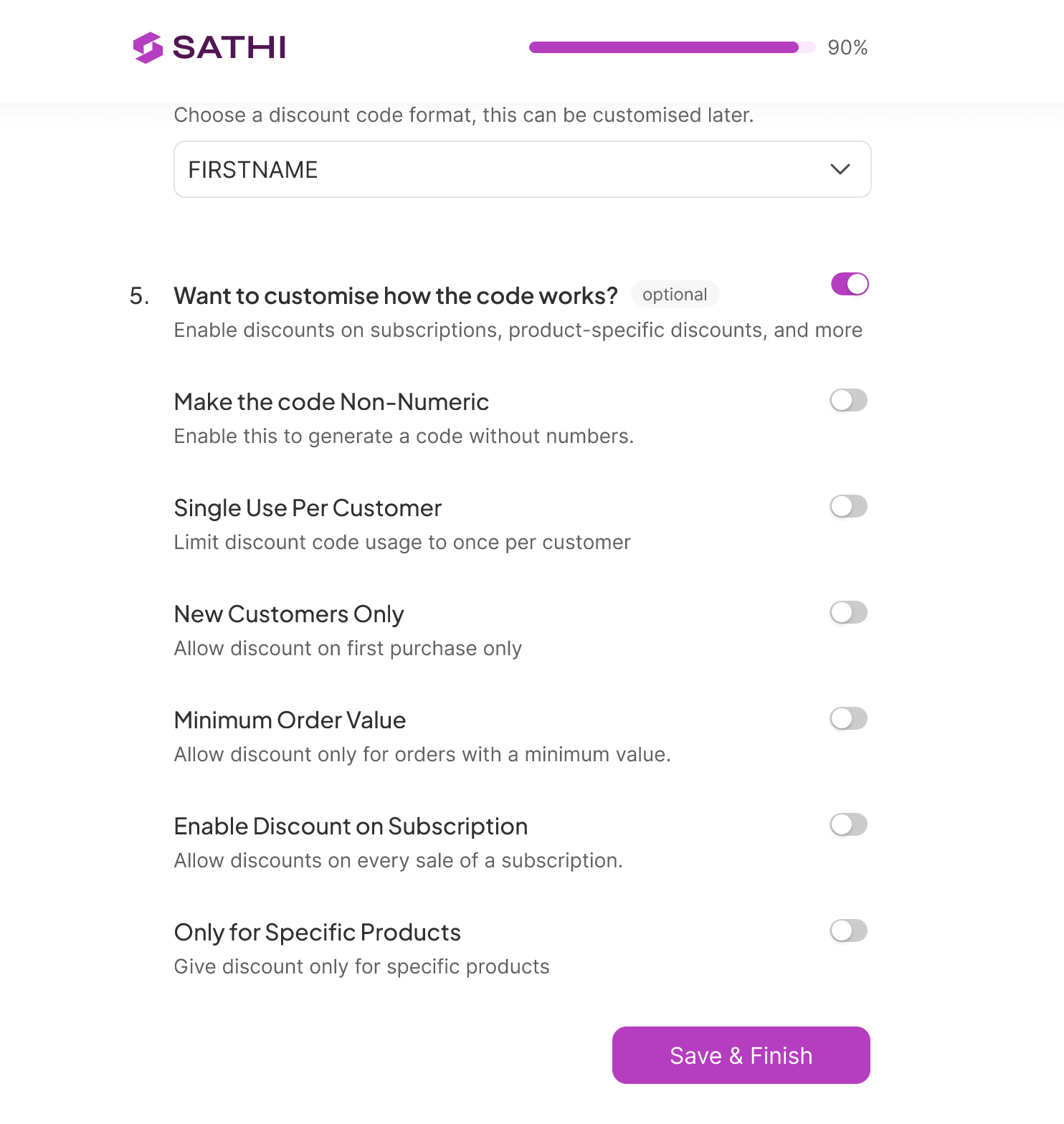
You can fine-tune how your discount codes behave. All of these are optional and can be skipped.
Non-numeric code: removes numbers from the code format
Single use per customer: the code can only be used once per customer
New customers only: restricts the discount to first-time buyers
Minimum order value: discount applies only when the cart meets a set value
Enable on subscriptions: allows the discount to apply to subscription orders
Specific products only: restrict the discount to selected products
Once you're done, your first campaign is ready. SATHI will take you to your Campaign page.
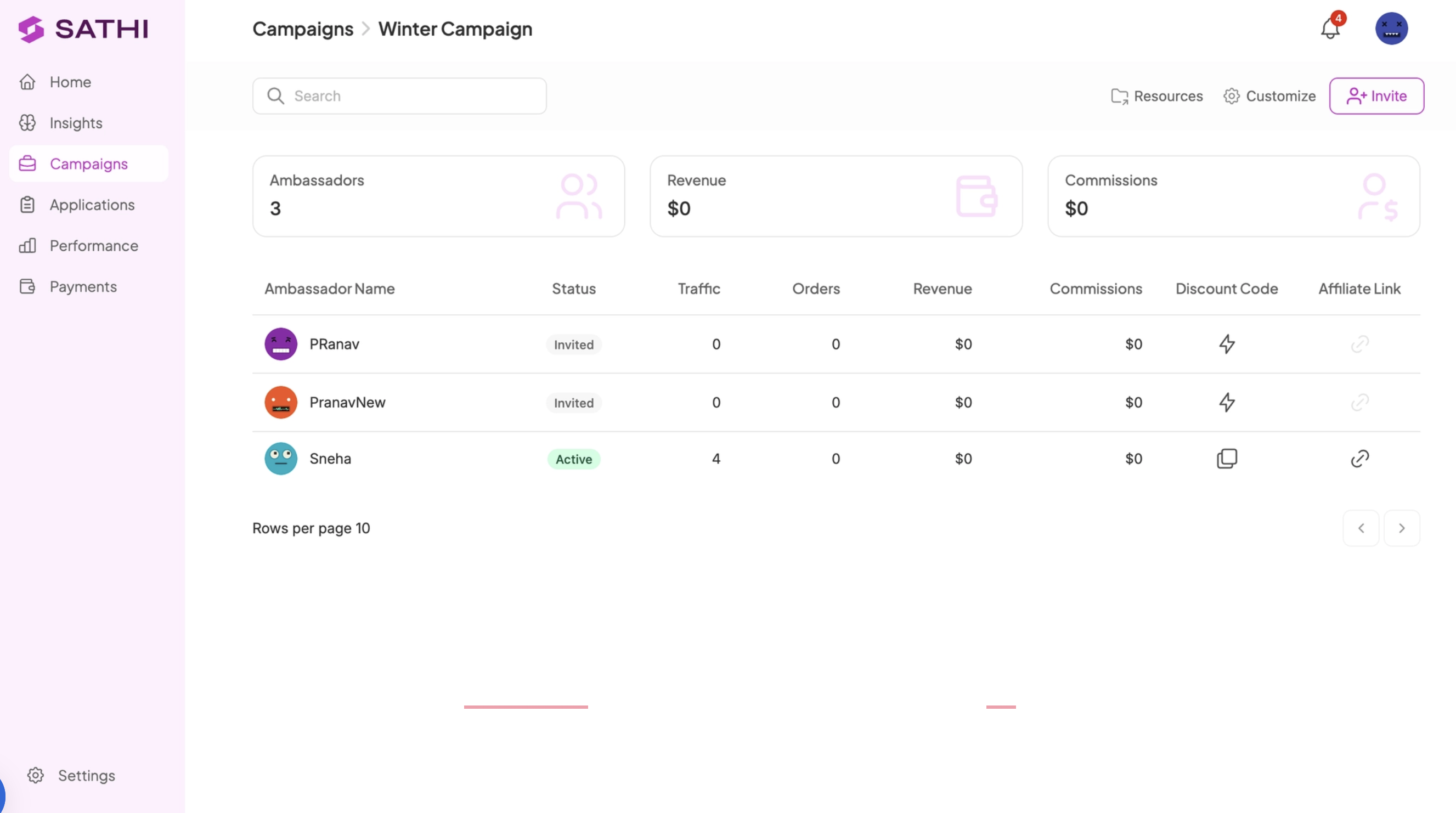
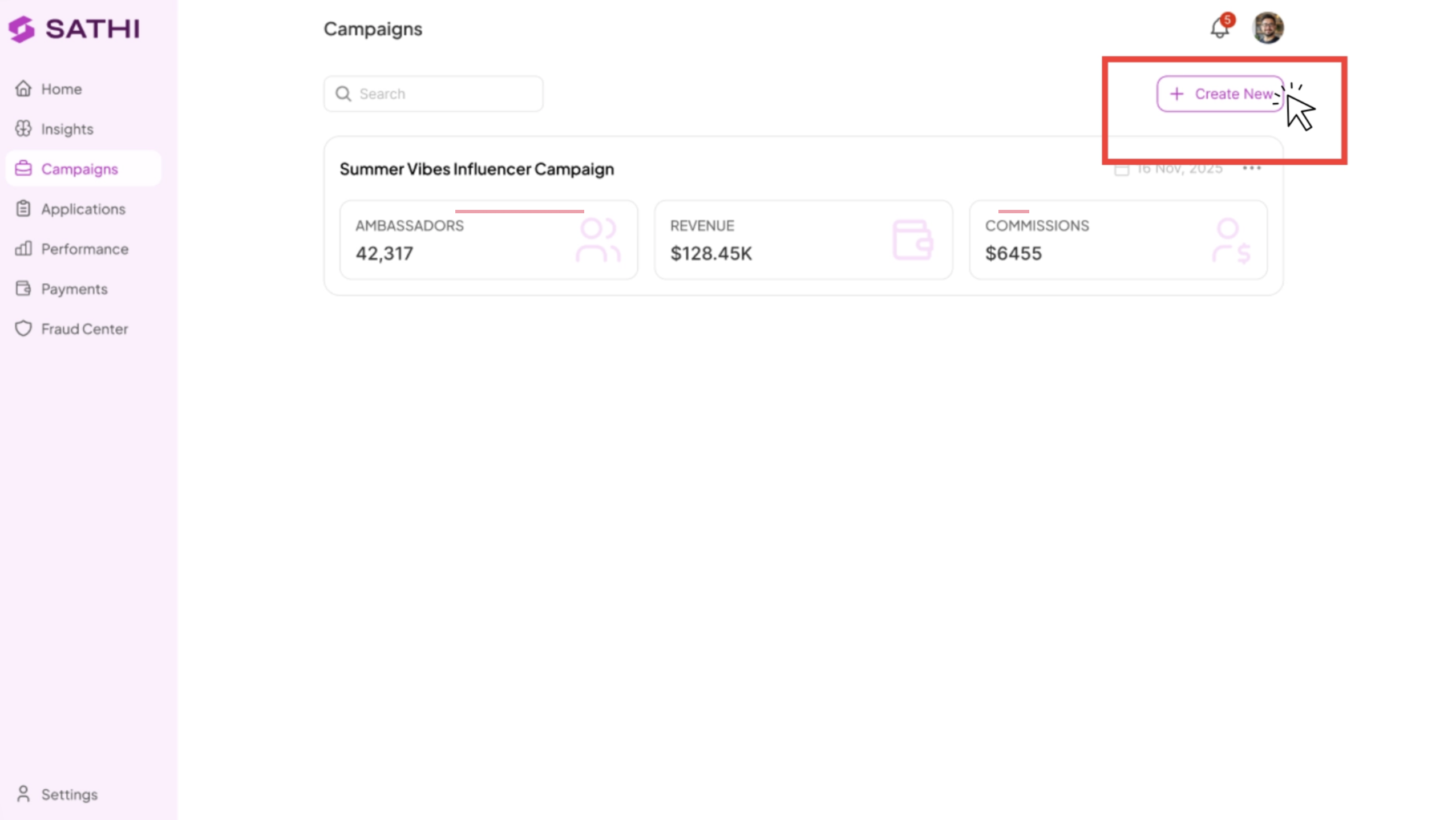
Creating additional Campaigns
Want to run separate campaigns, say one for big influencers and one for micro-affiliates? Create more campaignsfrom the Campaigns tab, click Create New Campaign and follow the same steps above.
What's next?
Now that your campaign is live, it's time to bring in your ambassadors.
👉 How to Import Existing Affiliates into SATHI
👉 How to Create an Affiliate Application Form
Need help? Reach out to us at [email protected] — we're here.