

How to Set Up Milestone Rewards and Gamification
Flat commissions get ambassadors in the door. Rewards keep them going. With SATHI's Gamification feature, you can set up milestones — and when an ambassador hits one, SATHI notifies them and applies the reward automatically.
Step 1 — Go to your Campaign's Gamification tab
Go to Campaigns in the left sidebar and select the campaign you want to gamify.. Click Customize in the top right, then open the Gamification tab.

2 — Enable Gamification
If no rewards have been created yet, you'll see an Enable Gamification button. Click it to get started.
A modal will appear to create your first reward.
Step 3 — Create a Reward
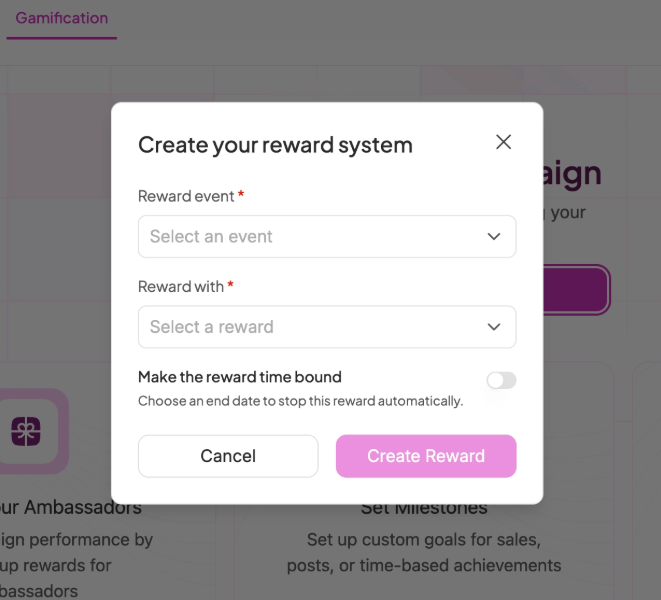
Reward Event — choose what triggers the reward:
Crosses $X in sales: enter the sales amount
Brings more than #Y orders: enter the number of orders
Brings X amount of traffic: enter the number of clicks
Posts X times: enter the number of posts
Posts X times every Y period: enter posts and the time period
Is Onboarded: fires when the ambassador joins the program
Reward With — choose what they get:
Flat $X bonus: enter the cash amount
Upgrade Commission Tier: automatically move them to a higher commission
Free Product: search for a product, select variants, and SATHI ships it on approval
Make the reward time bound (optional) Toggle this on if you want the reward to run for a limited time. Set an end date and SATHI will stop the reward automatically when it expires.
Once done, click Create Reward.
Step 4 — Reward goes live
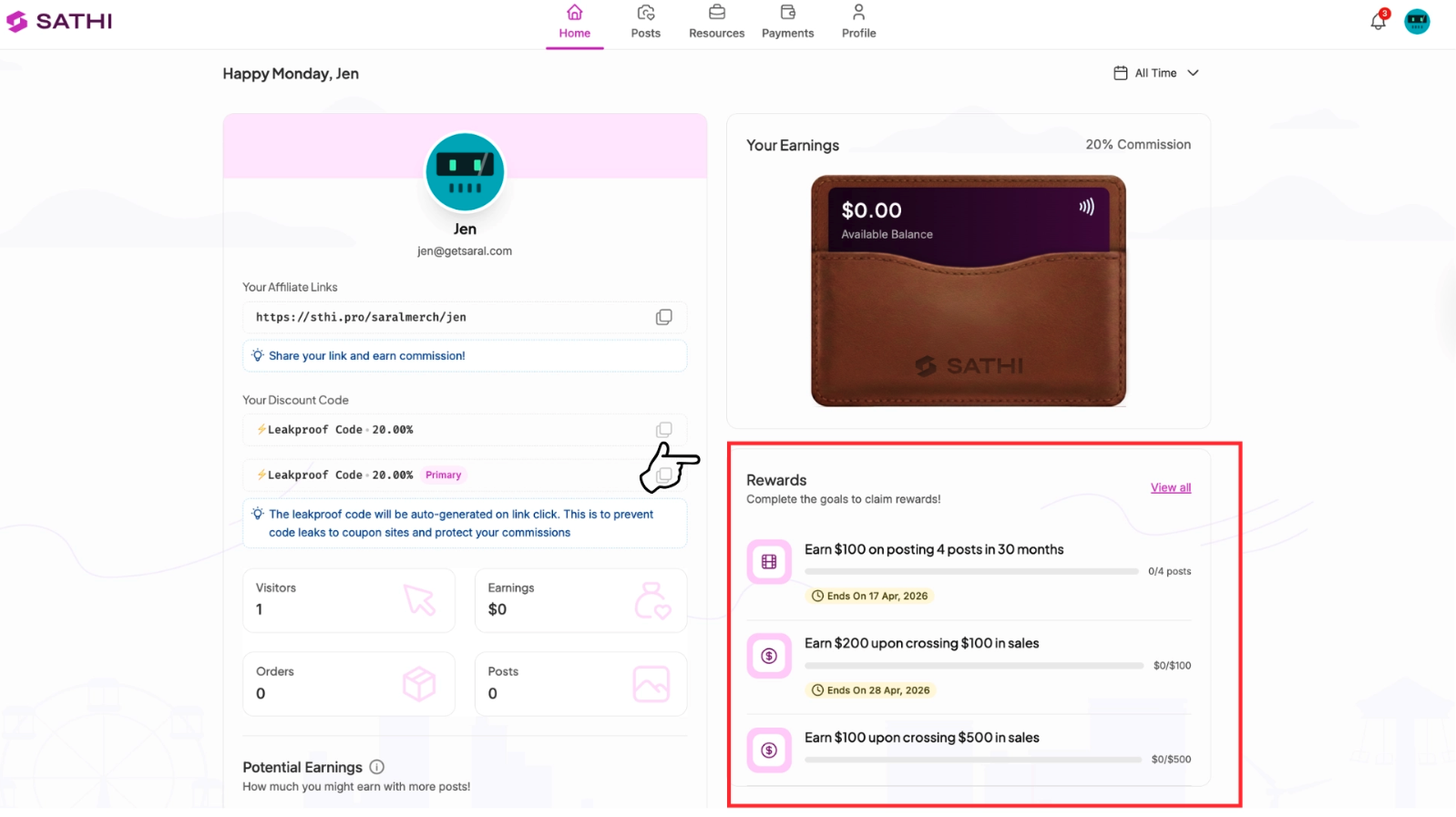
As soon as a reward is created, every ambassador in that campaign receives an email letting them know about the reward and what they need to do to earn it.
Their dashboard also shows this information:
From there, SATHI tracks progress automatically.
Managing your Rewards

All your rewards are listed on the Gamification tab. From here you can:
Edit a reward — change the event, reward type, or end date
Pause a reward — temporarily stop it without deleting
Delete a reward — remove it permanently
What's next?
👉 How to Set Up Inner Circle
👉 Getting Started with SATHI
Need help? Reach out to us at [email protected] — we're here.